


Selling items you no longer need is a great way to make some extra cash. From books and DVDs to vintage clothing and furniture, you can rid your living space of unnecessary clutter and make some extra dough while doing it. If you take a moment to learn how to sell on Gumtree (for free!) in Australia, you can quickly earn top dollar for your items safely.
By following our steps and beginner tips, you can make good, easy money – perfect for some pocket money as you pay off your online loan.
Overview:
- How does Gumtree work?
- Gumtree payment options
- How to sell on Gumtree for free: 8 steps for beginners
- What about selling a car on Gumtree?
- Tips for selling successfully on Gumtree in Australia
- Selling safely on Gumtree
- Possible Gumtree scams
- Selling on Gumtree FAQs
How does Gumtree work?
Gumtree is a (mostly) free online marketplace where you can create ad listings for items you no longer want. Like the classified section in a local newspaper, but online! It’s a great way to make money online by selling pretty much anything you like, no matter how big or small, whether it’s car parts or an old spoon collection. As the saying goes, one man’s trash is another man’s treasure.
There are 3 basic stages to selling goods on Gumtree in Australia:
- Post an ad listing with as much detail as possible
- Communicate/negotiate with potential buyers via the Gumtree website or app
- Organise a meeting point for the buyer to inspect the item and pay – meeting in person can be less scam-prone than sending an item, but take steps to stay safe
Gumtree payment options
Gumtree allows a variety of payment options, including:
- Gumtree Pay
- PayPal
- Credit and debit card
- BACS bank transfer
- Western Union
- MoneyGram
- Cash (if meeting in person)
- Cheque (if meeting in person)
Gumtree Pay is a new payment method that began in 2025. IIt integrates a range of payment methods (including Apple and Google Pay) as well as protected shipping and delivery updates.
As a seller, you will need to opt into Gumtree Pay to set up a payment account and start requesting and receiving payments.
How to sell on Gumtree for free: 8 steps for beginners
How to put an ad on Gumtree Australia
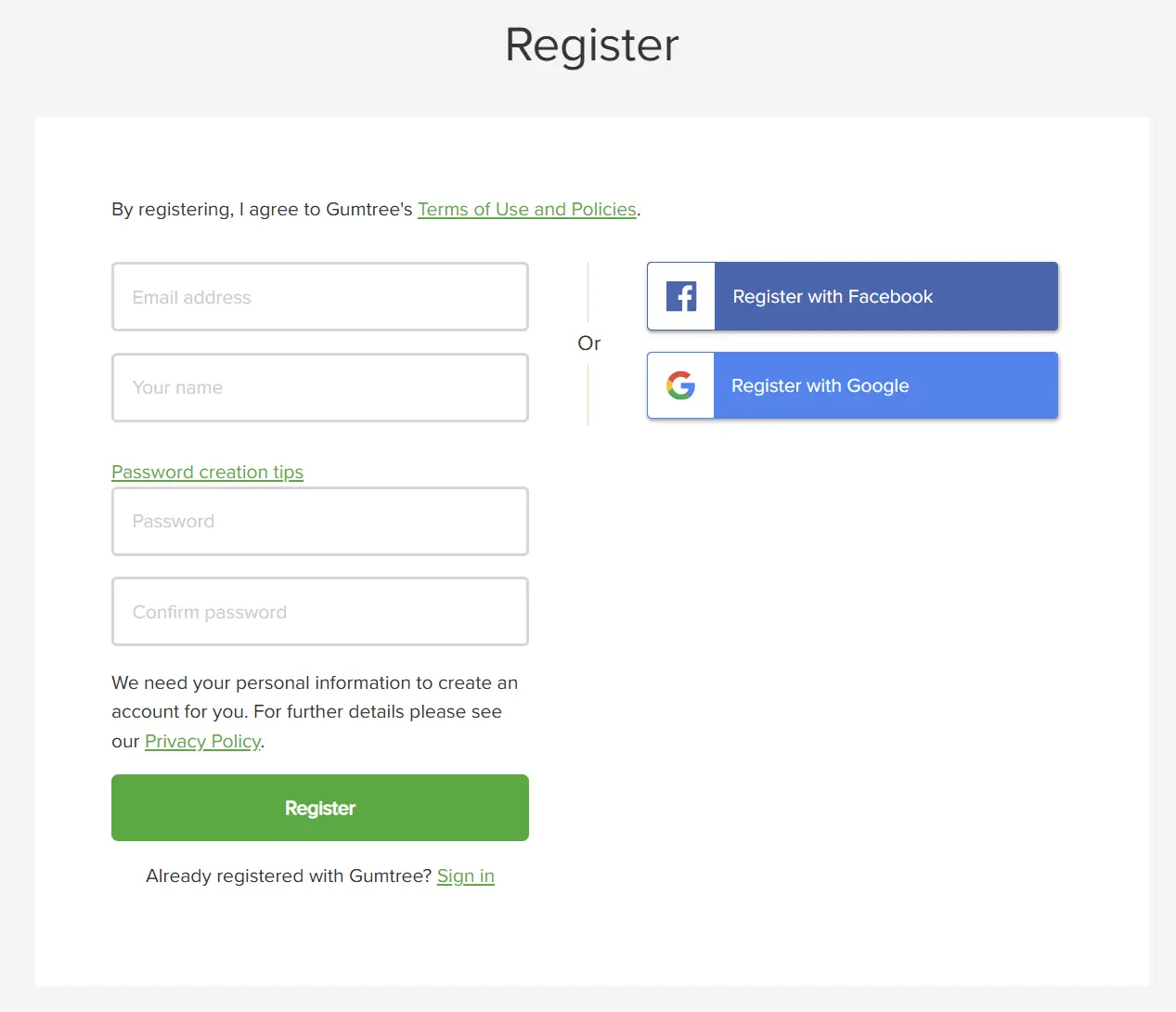
1. Register and create an account
To register for your Gumtree account, you can use your email address, Facebook account, or Google account.
2. Activate your account
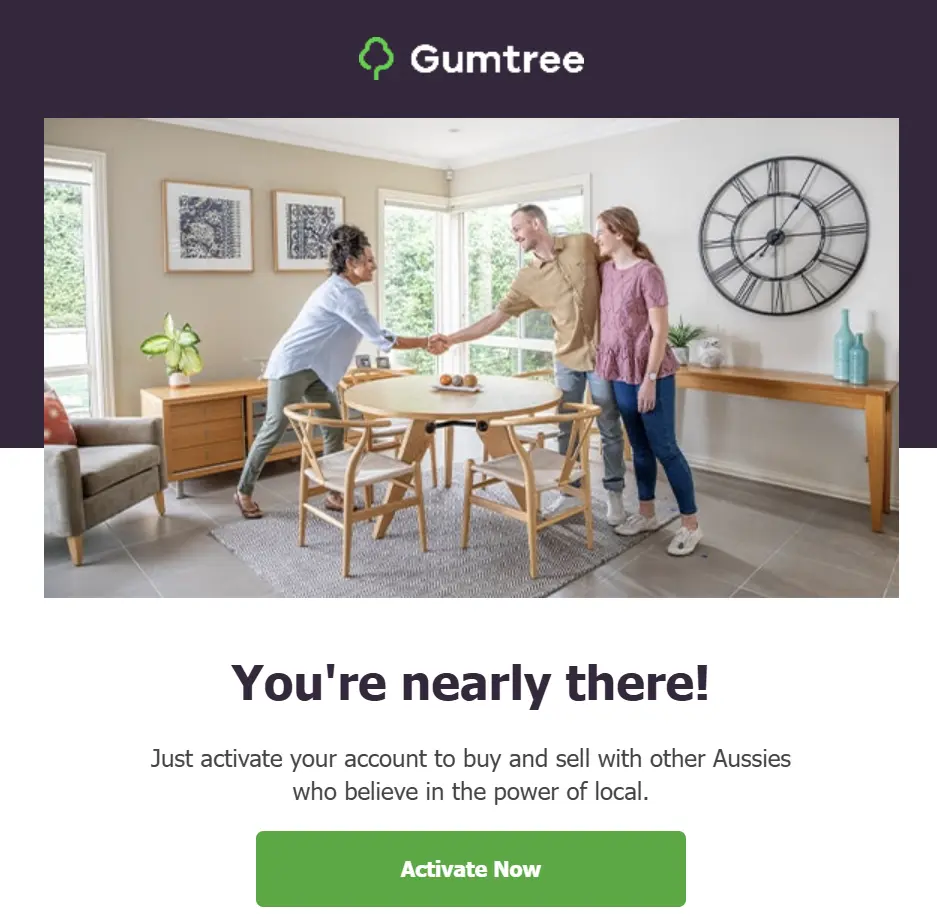
Once you have registered, you will be sent an email to activate your Gumtree account.
Click the “Activate Now” button in the email.
To complete your account, you will need to add your phone number. You will be sent a code to verify your mobile. Verification codes may be required for future logins and changes to your profile.
3. Create a new ad
Once your account is activated, Gumtree will take you straight to a page to start your first listing with a title.
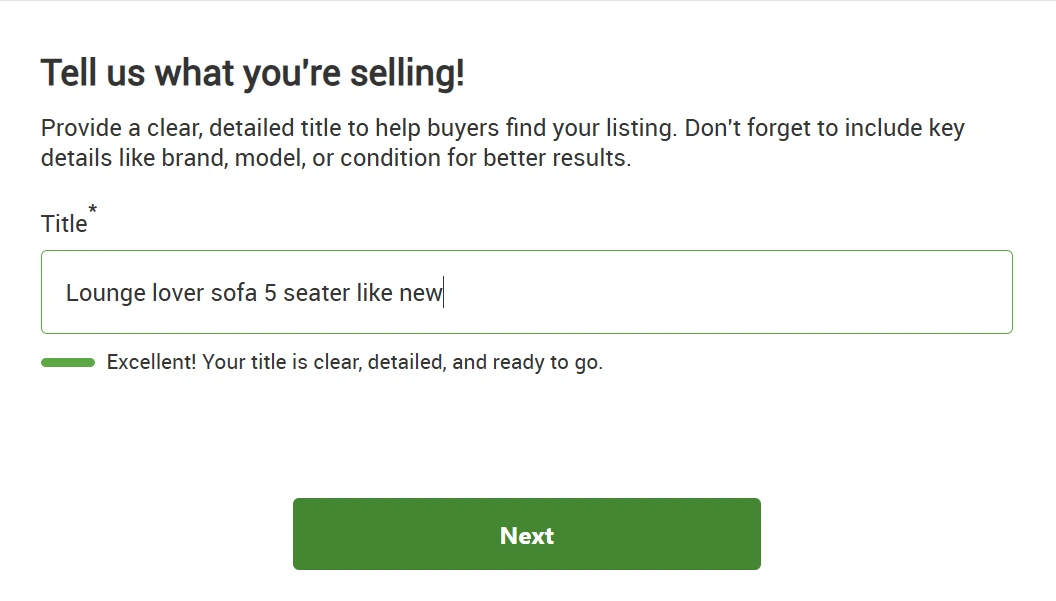
Otherwise, you can post ads by clicking the “Post Ad” button to the right of the search bar, on the home page menu. It will take you to the same page as above.

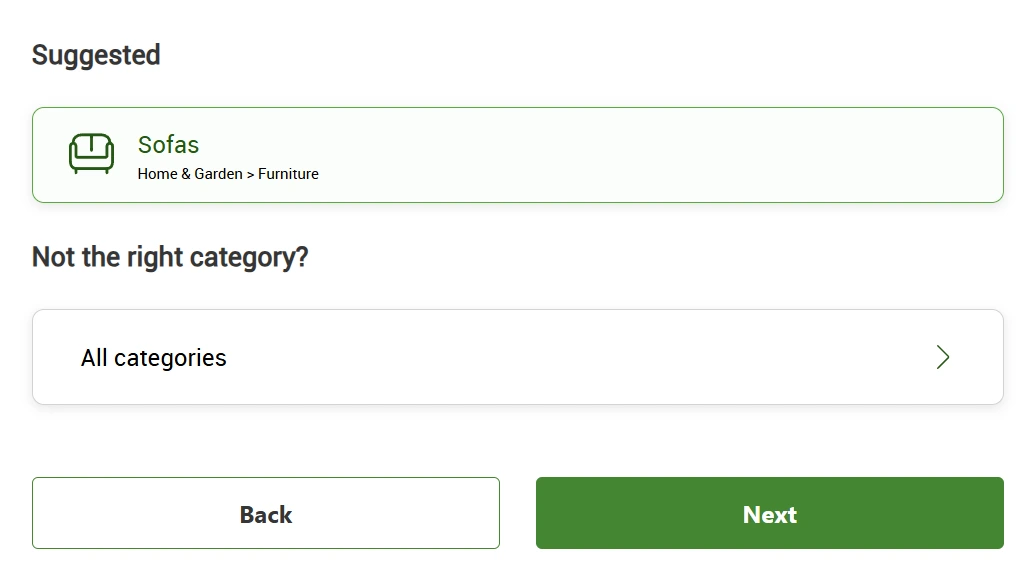
After entering the title of your listing, Gumtree may suggest a category for you. If it is correct, click on it and click “Next“. Otherwise, you can manually select a category and subcategory by clicking “All categories”.
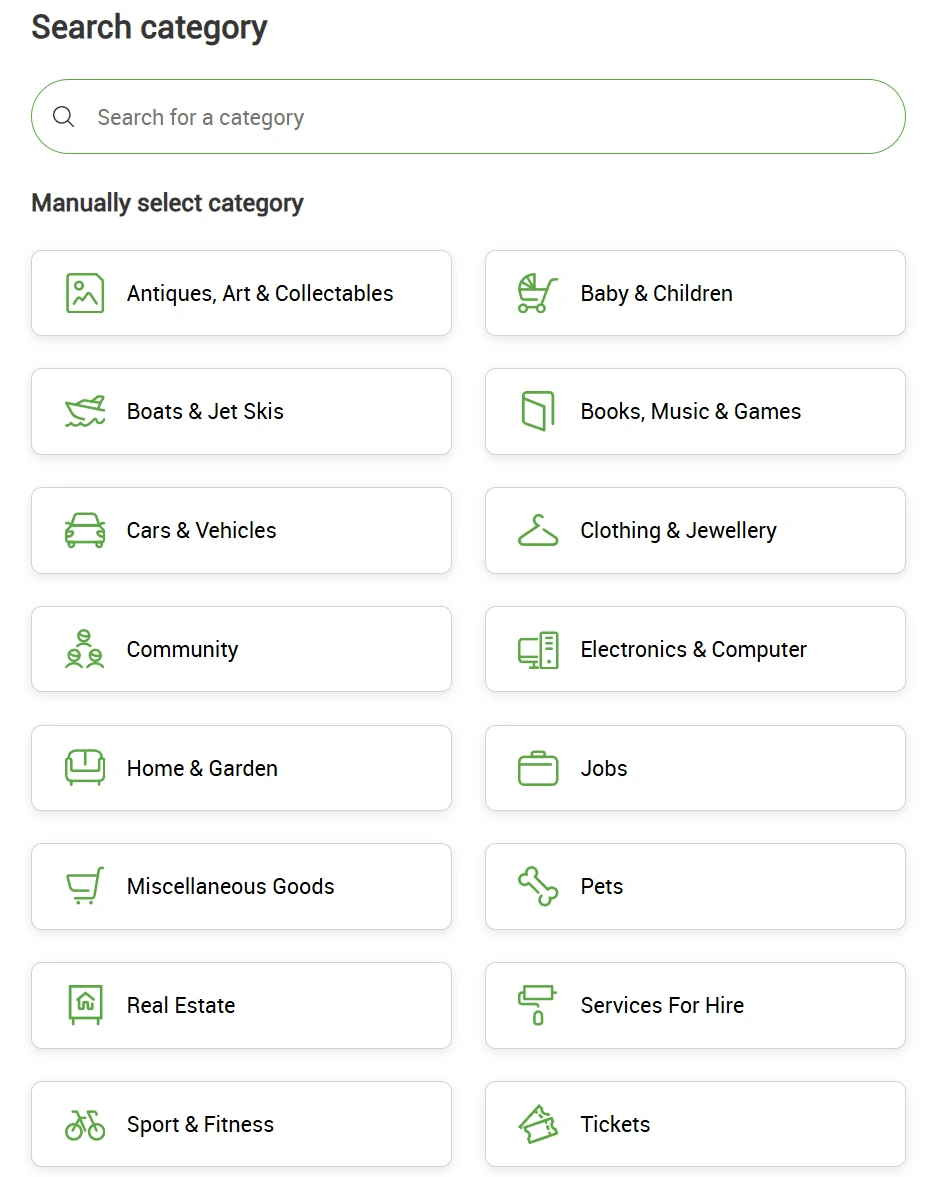
4. Fill in product details
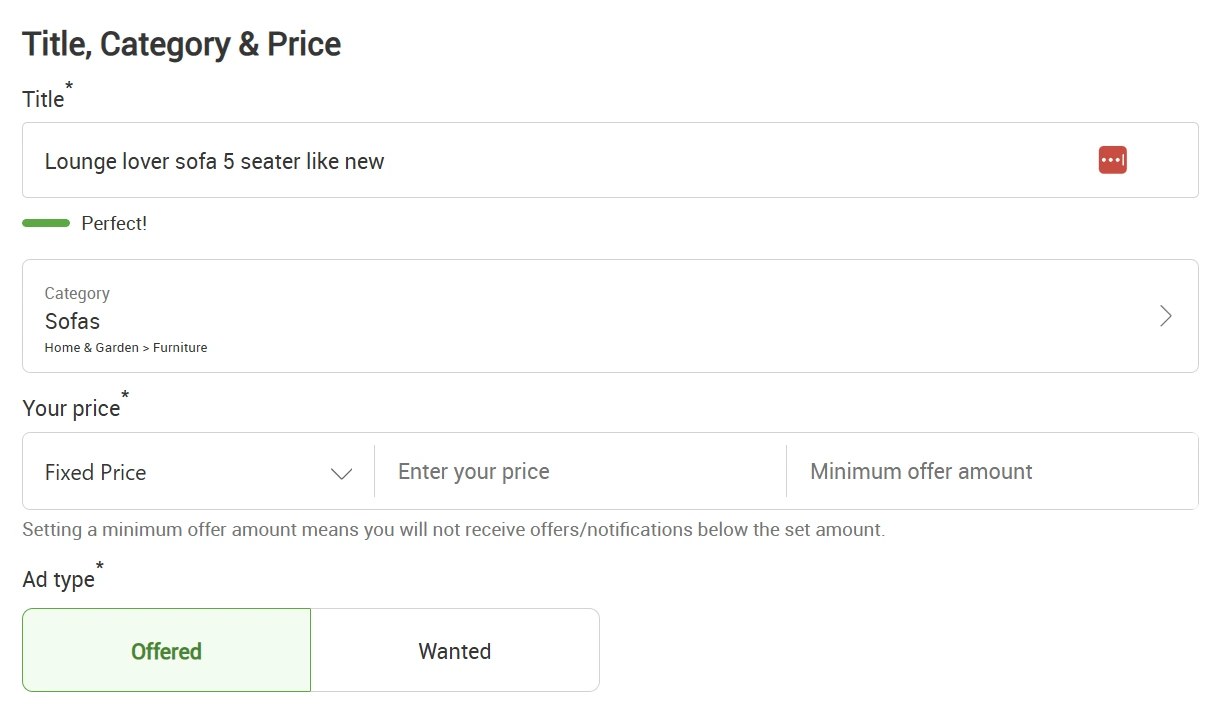
Fill in your product details such as price type (fixed or negotiable), price, and minimum offer amount. You will also need to select the ad type: Offered or Wanted.
Remember, “Offered” means you’re selling the item, and “Wanted” means you’re searching for an item.
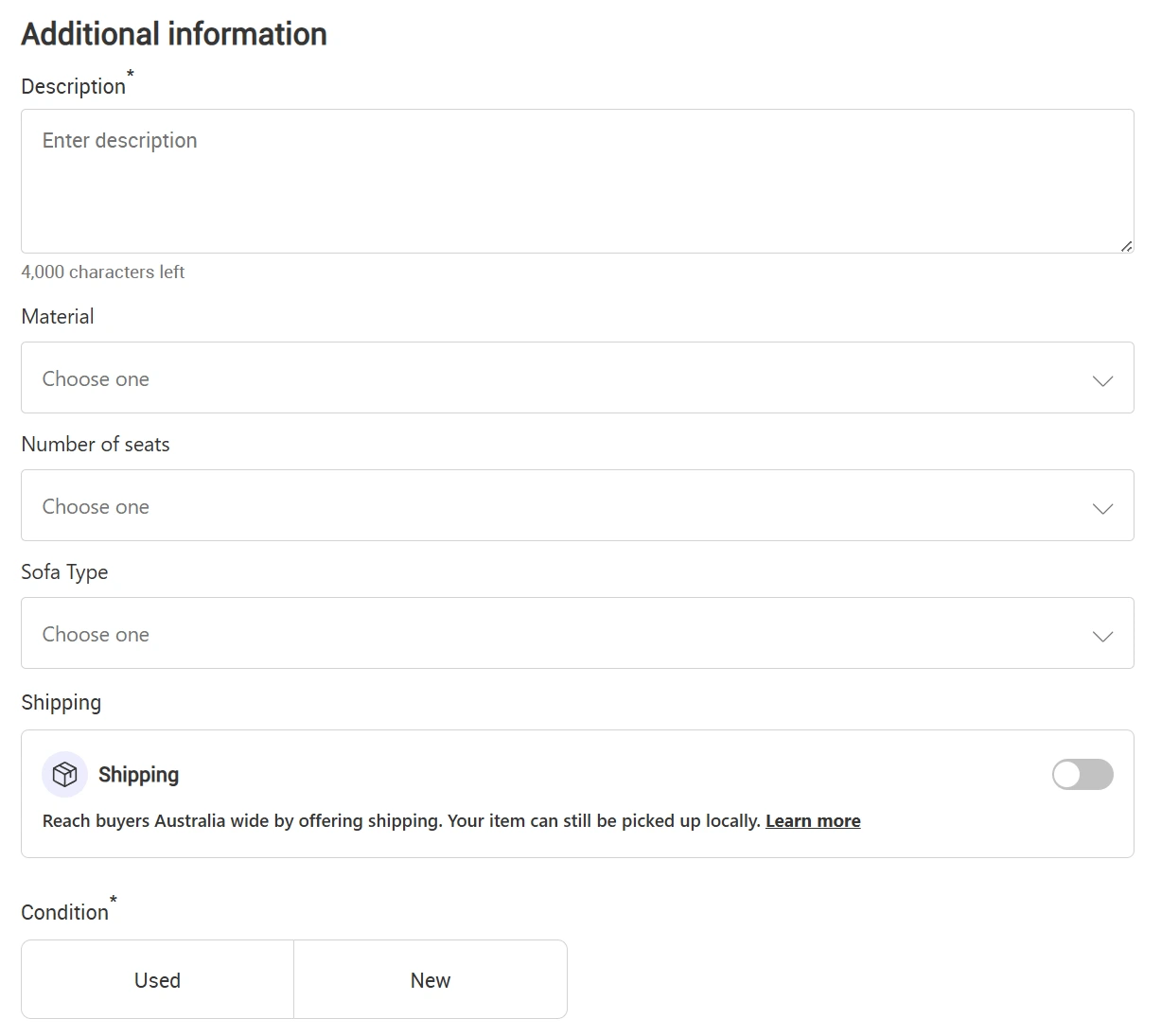
You will be required to enter a description and the condition of your item. Certain categories may have sections for specific information. For example, “Sofas” will give you a space to include the material, number of seats, and type (see below).
5. Upload your photos
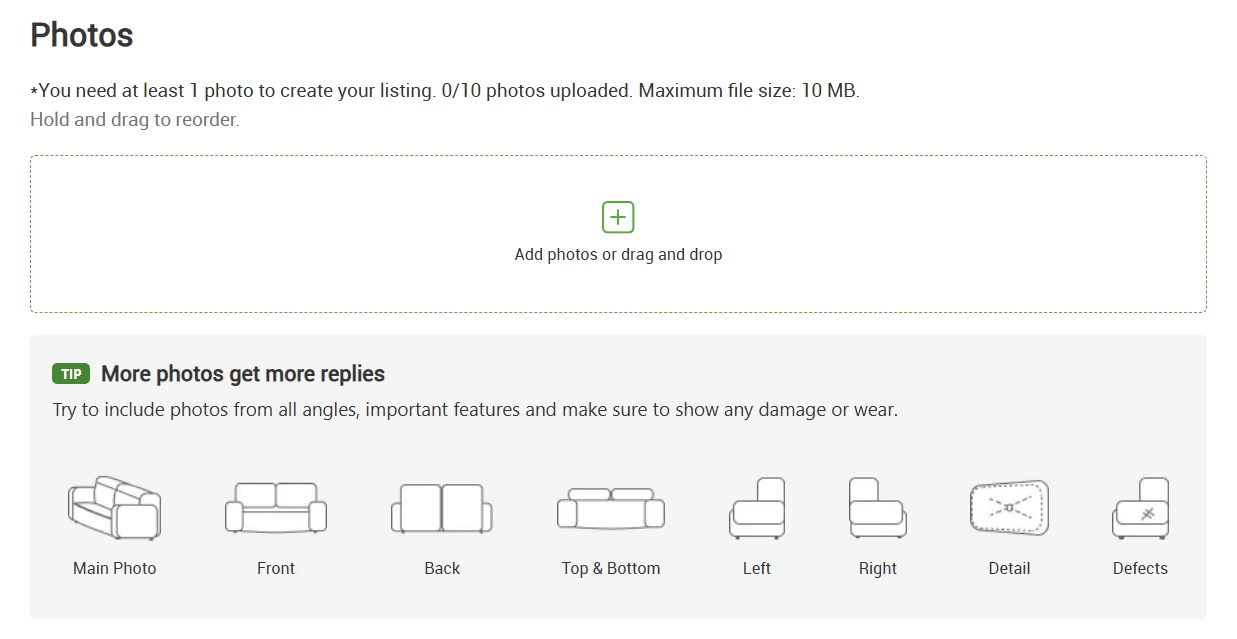
Now it’s time to upload your photos. Make sure they’re high quality and show your item from all angles.
Remember to show any damage or wear (and note it in the description). Honesty is always the best policy!
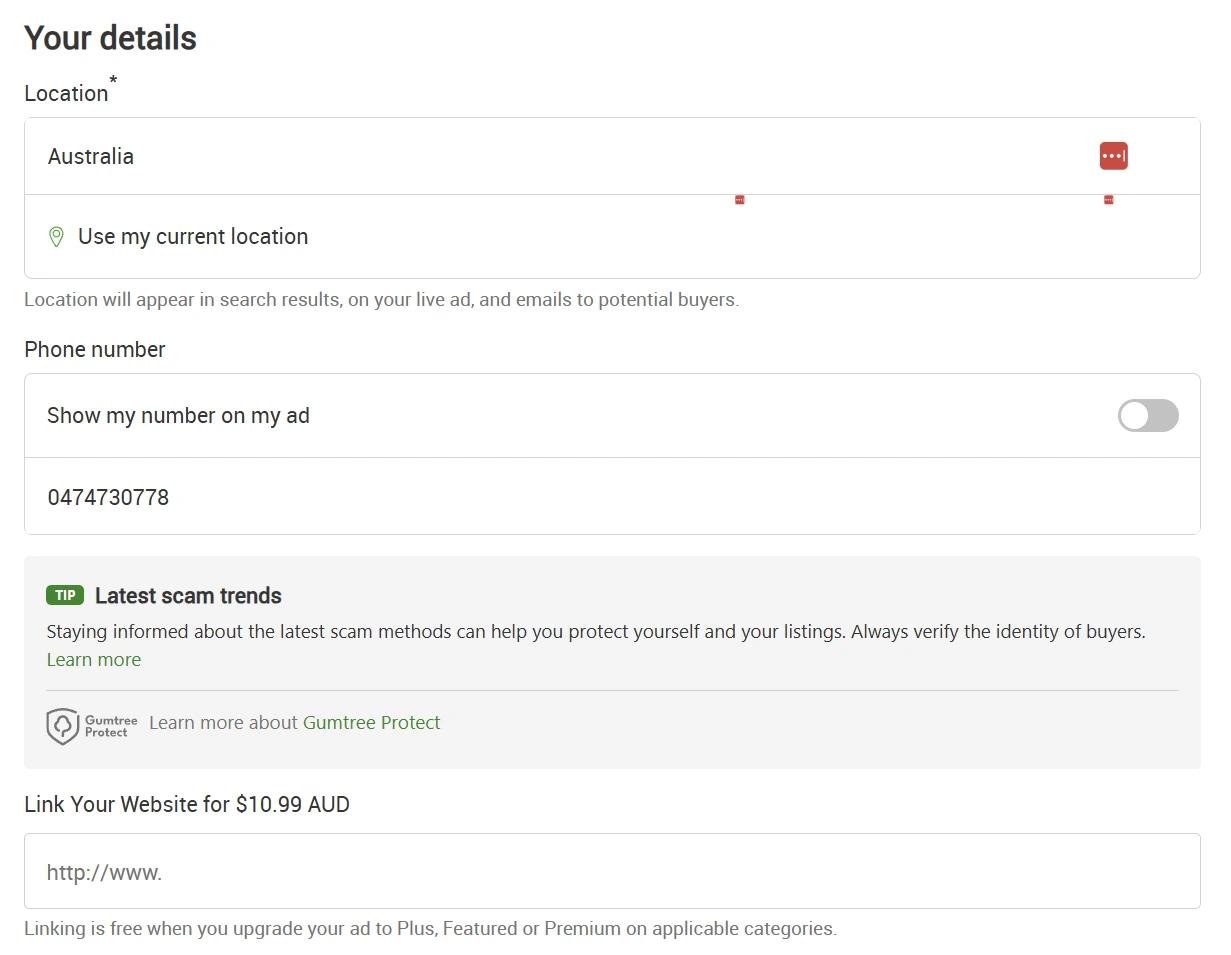
6. Provide your contact information
Fill in your contact details.
While you can opt to show your mobile number on your ad, think carefully before choosing this option, as SMS scams can target Gumtree members.
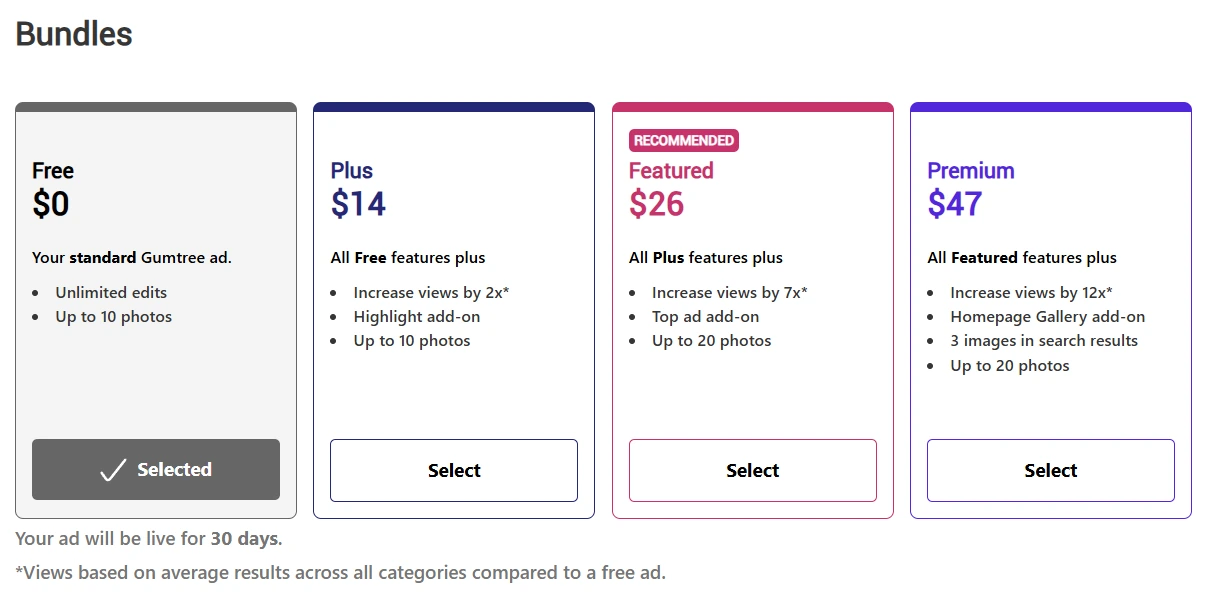
7. Select free ad type
Ensure you select “Free” when choosing your ad type.
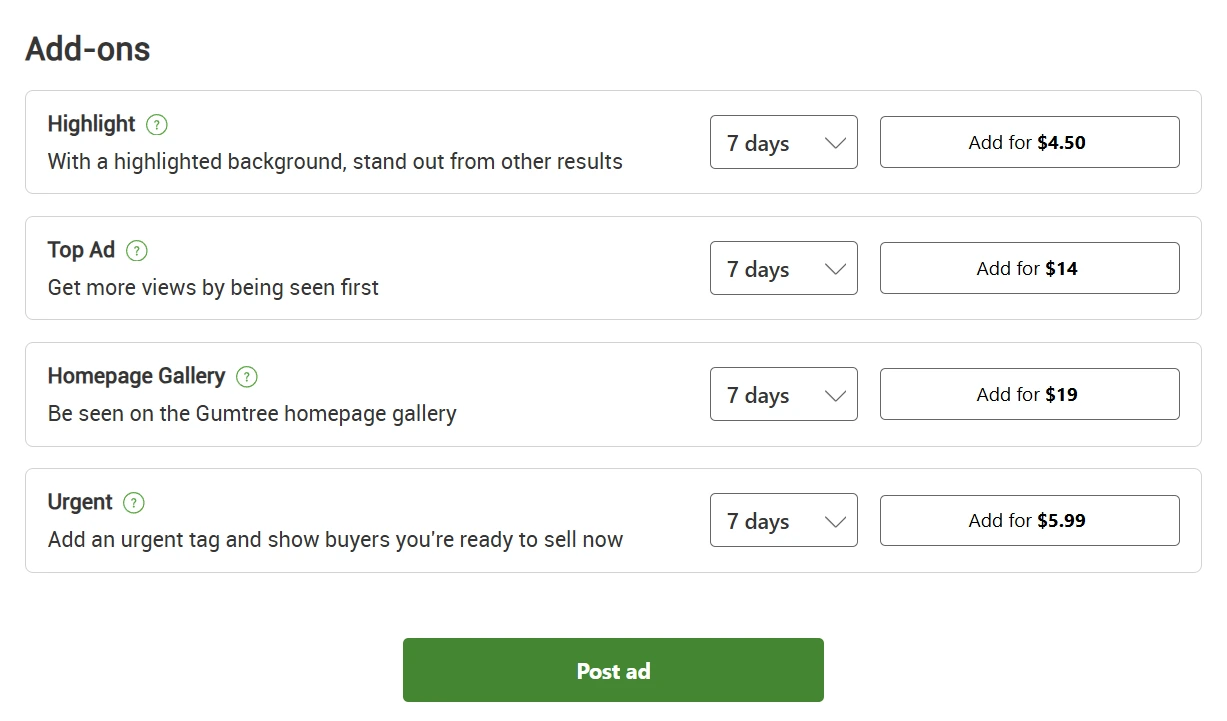
8. Post your ad
Now that you have selected your ad type, you’re ready to post your ad. Ignoring the add-ons, click the “Post ad” button, and you’re good to go!
What about selling a car on Gumtree?
Selling a car on Gumtree is a little different to regular listings. Unfortunately, Cars & Vehicles categories (with the exception of parts and accessories) require a fee to post and some extra details. The lowest fee is $19 with the “Starter Bundle“. Here are the main differences:
| Regular Listings | Car & Vehicle Listings (Starter Bundle) |
| Can list for free | Minimum of $19 fee to post |
| Live for 30 days | Live for 45 days (can relist for free) |
| Up to 10 photos | Up to 25 photos |
| Just need a description (freeform) | Requires specific information like registration, make, model, year, odometer, etc. |
If you still want to sell your car on Gumtree, read on for the steps.
1. Look up registration
You will be asked to enter your registration to find your car and prefill information. You can also enter the details manually. Gumtree will also show you a valuation guide based on similar cars to help you price your car and may prefill your listing title.
2. Enter details
The next section is “About my car”. Just like your usual listings, put your car details, description, photos, price, and contact details in the required boxes. You will also need to include the odometer reading and whether your car is registered (and when it expires).
3. Select fee bundles and add-ons
You will need to pay a minimum of $19 to list your car on Gumtree (Starter Bundle). You can add on extra features to boost exposure to audiences and make your listing more attractive.
5 tips for selling (successfully) on Gumtree in Australia
Overview: Tips for selling on Gumtree
- Post crystal clear, high-quality photos
- Be overly descriptive
- Stay upbeat and friendly
- Be responsive
- Consider how your ad looks on the app
We have 5 amazing tips for boosting your sales on Gumtree and making the most of the free online marketplace. You’ll be able to sell your stuff fast and be surprised how easy it is once you get the hang of it.
1. Post crystal clear, high-quality photos
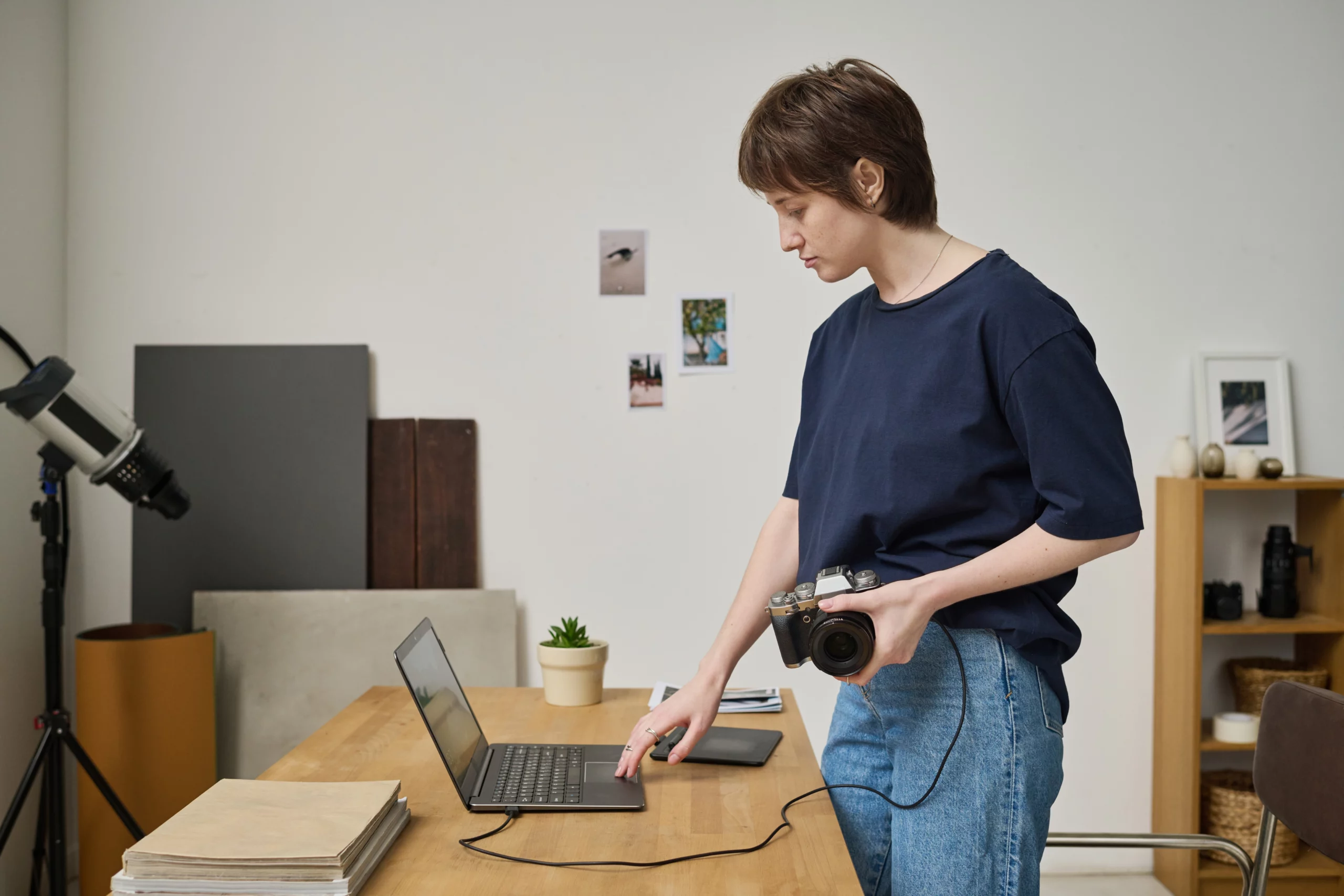
We’ve all heard the cliché, “Don’t judge a book by its cover.” But the truth is, it’s a natural human tendency to focus on how something looks. Our first tip for how to sell on Gumtree is to post the best photos possible.
The first thing that nearly every shopper on Gumtree does is look at the pictures of an item. Buyers compare the photos of one listing directly with the photos of something similar. Most likely, the listing with the better photos will win out.
To guarantee your product is the winner, ensure your photos are clean, clear, and accurate. You don’t want a customer to write a poor review because the item they bought didn’t match your photos. It pays to be honest and give your customers a true preview of what they’re getting.
Make sure you provide several photos of your item. Display multiple sides of your item by taking photos from the back, front, and sides.
When setting up your photo shoot, use a high-quality camera and bright lighting. You want people to easily see the item you’re selling, and not be distracted by dingy lighting.
In the same way, set your item in an uncluttered area of your house (luckily, clearing out your stuff to save money can make you a bit of a minimalist). Remove unnecessary items and distractions from the photo scene. You want the buyer to know they’re purchasing from someone who maintains a clean and tidy household. It makes you feel trustworthy!
Include a video in your ad
If you really want to up your game, you can link to a private YouTube video and give people a 360-degree view of the item. This is a great tip for selling electronics like mobile phones or computers so the buyer can see how it runs before they decide to buy.
2. Be overly descriptive

If you really want a better chance of making extra cash, be very descriptive in your Gumtree ad. Sites like eBay and Gumtree give you ample room to describe your item for a reason. Telling a buyer exactly what they’re getting, what condition it’ll be in, how well it works, and how it looks is critical to the item being sold. Use simple words and phrasing to appeal to a wide range of people, no matter their age or education level. If you’re ever unsure of what detail you can provide, have a look at similar items for inspiration.
Make use of the extra sections in certain categories. It might include brands, energy efficiency, size, material and so on, depending on the type of listing. While it’s not required, it’s best to give people the most information possible.
Use keywords in your description
Not only does a description let you share details about the item, it also allows you to naturally place keywords throughout your text. This allows your ad to be found when various people search for what they’re looking for. People may type in different terms to find the same item.
For example, if you’re selling a used phone, you may want to add several phrases or descriptions, such as:
- black Samsung S6
- used Samsung S6
- Optus compatible Samsung S6
That way, you’re capturing a wide range of search terms for the item you’re offering.
Give the buyer examples of how they can use your item
When you post an ad on Gumtree, use the description space on your ad to prompt the buyer with inspiration for how they might use the item. If you’re selling a travel mug, for instance, you could generate ideas by mentioning they could bring soup to work or drink coffee on their commute or make a protein smoothie for breakfast.
3. Stay upbeat and friendly

Gumtree selling etiquette
One of the best tips for writing a Gumtree ad is to make a sales pitch. Make your ad and seller’s profile as approachable and friendly as possible. Even include an “About Me” section! Make yourself seem like a genuine person who cares about the buyer’s experience. Tell them how you got the item, and how much you loved it. Telling people why you are getting rid of it is also very helpful in giving buyers peace of mind that there is nothing wrong with the item. People find it easier to connect with a story, so make your ad personal.
Consider offering a refund policy
If it makes sense for you, you might even consider offering a refund policy. Be sure you thoroughly understand the parameters of what that means, considering Gumtree’s Returns Policy, and make sure it makes sense from a financial perspective. Buyers enjoy having a return option, but if it doesn’t make sense for you, it’ll be more hassle than it’s worth.
4. Be responsive

Do you love it when an item ships quickly and arrives at your doorstep in a matter of days? This goes for Gumtree shoppers too.
Responding to potential buyers and shipping your item quickly makes people feel excited to buy from you, and excited to leave a review. The sellers who take the best care of their customers receive positive reviews.
Encourage positive reviews
When you have a high rating on selling websites, more customers will buy from you in the future. Your profile and listings will appear better and higher on search engine results, and people will be more convinced they should buy from you over someone else.
Don’t underestimate the power of the customer experience and customer reviews. Some of the most successful companies, like Amazon, have focused on ensuring the best customer experience possible. That’s part of the reason their sales and services are so ubiquitous today.
5. Consider how your ad looks on the app

Our final tip for how to sell on Gumtree is to think about how it is displayed on the app. As of 2022, there were 6 million Gumtree app downloads. That’s a lot of people searching on their mobiles and using their thumbs to shop.
Download the app on your own phone so that you can check your ad is crisp and easy to read. Edit your listing if it doesn’t look right or paragraphs seem too lengthy. You want people to be able to search easily and review your information without being overwhelmed.
This way, you can also respond to messages as quickly as possible, and maybe even ship your item sooner.
Selling safely on Gumtree
As an online marketplace, it can be a bit scary not knowing who you are dealing As an online marketplace, it can be a bit scary not knowing who you are dealing with. But there are steps you can take to protect yourself when selling items on Gumtree, including:
- Stay up to date on existing and new Gumtree scams*
- Message via the app – don’t give out your mobile number
- Get paid in cash or via Gumtree Pay or PayPal through your Gumtree account
- If the buyer is picking up the item, choose a public place wherever possible, and bring someone with you
- Use the suburb – don’t list your home address in your profile
- Don’t use your full name
*If you think you have been scammed, you should contact Gumtree and report it to Scamwatch.
Possible Gumtree scams
While clearing your stuff out and selling them on Gumtree is a good way to save some money, you don’t want it to end up costing you. Be aware of the following scams:
- Buyer asks you to email them (or use another platform) instead of messaging through Gumtree – this scam saw Australians lose more than $6 million in 2022
- Buyer sends a courier to collect & requires payment upfront
- Buyer offers to arrange pick up or pay through WhatsApp or SMS(these so-called Gumtree delivery services don’t exist)
- Buyer overpays you
- Urgent email claiming to be from Gumtree
- Messages from Gumtree Bot or employee
- Fake URLs (all official pages will contain “gumtree.com.au/”
Know how to sell on Gumtree, but need a little extra?
Buying and selling on Gumtree can be time-consuming. If you’re tight on time or don’t have enough items to free up the cash you need, consider a quick online loan or a small personal loan from Swoosh Finance today. It may be the solution you need to get back on your feet, whether that’s to pay a bill or the expenses for a weekend away. Apply now!
Selling on Gumtree FAQs
How much does it cost to sell on Gumtree?
It doesn’t have to cost you anything to sell on Gumtree. You can post an ad completely for free. You’re then given different payment options to increase your ad’s exposure, but you don’t have to take them.
However, your chosen method of payment may charge fees for receiving or withdrawing funds. If you sell using PayPal, their standard domestic transaction fee is 2.6% + $0.30. Gumtree Pay will take 0.5$ of the transaction amount (minimum 50c, maximum $7.50).
It’s also worth noting that you can choose to pay Gumtree if you want to promote the item you’re selling with, for example, a banner ad, as a top featured listing, or with more photographs. If you want to sell a car, it will cost a minimum of $19 to sell.
How do I post something on Gumtree for free?
Head to gumtree.com.au, create an account (this is super easy if you register using your Google or Facebook account), then click the ‘Post an ad’ button. You cannot post Cars & Vehicles and Pets & Animals for free.
Does Gumtree take a percentage?
No, Gumtree does not take a cut of your sales. However, there is a 0.5% platform fee (capped at $7.50) from the sales you make using Gumtree Pay.
What sells quick on Gumtree?
Because people go on Gumtree for a good deal, high-quality items that are priced well sell fast. This includes:
- Sports and outdoor equipment: bikes, kayaks, camping gear, garden tools
- Large furniture: couches, dining tables, outdoor furniture
- Functioning appliances and tech: fridges, gaming consoles, popular mobile phones and tablets
- Vehicles: cars, caravans, boats (requires fee to sell)
What should I avoid when using Gumtree?
When using Gumtree to sell, avoid:
- Setting unrealistic prices
- Spending too long negotiating
- Entertaining lowball offers or long holds on items
- Sharing personal information
- Giving in to pressure from a buyer to sell quickly
- Communicating or receiving payments off-platform
- Letting go of an item before receiving funds
- Meeting buyers alone in an isolated area
- Clicking on links